-1.png?width=240&height=100&name=Heading%20(2)-1.png)
What is a Buy Now Price?
The Buy Now price is a fixed price that sellers can set on their listings, enabling buyers to bypass the auction process and purchase the item immediately at a specified price.
Adding a Buy Now Price to a new Auction Item.
- On the Manage Auction page select Add Item.

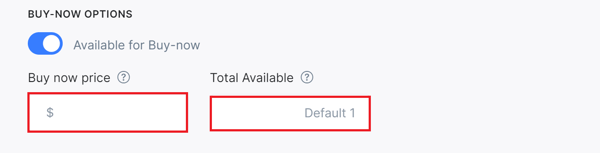
- Scroll down to the bottom of the Add Auction Item page until you see Buy Now Options.
- Enter the amount at which you want to offer your item for immediate purchase.
- If you have multiple units of the same item, indicate how many are available for sale by entering a number in the Total Available field.
- Click on the blue Save button when you have finished adding the rest of your item details.
- If you have both bidding and Buy Now available, anyone who bids at or higher than the purchase price will automatically win the item and be notified.
Adding a Buy Now Price to an Existing Auction Item.
- On the Manage Auction page locate the Auction Item you wish to update.
- Click on the Edit Button on the right side of the Auction Item.

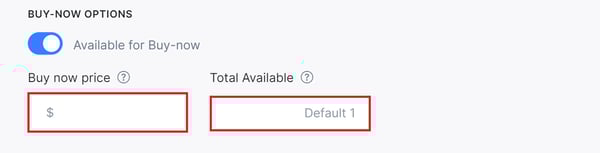
- Scroll down to the bottom of the Add Auction Item page until you see Buy Now Options.
- Enter the amount at which you want to offer your item for immediate purchase.
- If you have multiple units of the same item, indicate how many are available for sale by entering a number in the Total Available field.
- Click on the blue Save button when you have finished adding the rest of your item details.
Need Additional Help?
We're here to assist you in any way we can. Don't hesitate to reach out to support@betterunite.com
Let's go do some good.