-1.png?width=240&height=100&name=Heading%20(2)-1.png)
How Tiers Work
Contact Volume is available in the following tiers:
|
Tier |
Active Contact Limit |
Monthly Email Capacity |
|
5,000 |
Up to 5,000 contacts |
25,000 emails/month |
|
10,000 |
Up to 10,000 contacts |
50,000 emails/month |
|
20,000 |
Up to 20,000 contacts |
100,000 emails/month |
|
35,000 |
Up to 35,000 contacts |
175,000 emails/month |
|
60,000 |
Up to 60,000 contacts |
300,000 emails/month |
|
80,000 |
Up to 80,000 contacts |
400,000 emails/month |
|
100,000 |
Up to 100,000 contacts |
500,000 emails/month |
Each active contact in your tier allows up to 5 marketing emails per month. For example, if you're on the 5,000-contact tier, your monthly email sending capacity is 25,000 recipient-sends.
Grace Buffer
We provide a 100-contact buffer above your current tier limit before any automatic upgrade occurs. This means:
-
If you're on the 5,000-contact tier, your account won't be upgraded until you exceed 5,100 active contacts.
-
If you're on the 10,000-contact tier, the upgrade won't trigger until you exceed 10,100 active contacts.
This buffer also applies to email capacity. Your effective email sending limit includes the buffer (e.g., on the 5,000 tier, you can send up to 25,500 emails before an upgrade is triggered).
This gives you a small cushion so that minor fluctuations in your contact list don't immediately trigger a billing change.
Automatic Tier Upgrades
Your tier may be upgraded automatically in two scenarios:
-
Your active contact count exceeds your tier + buffer
A daily reconciliation process checks your active contact count. If it exceeds your current tier limit plus the 100-contact buffer, your account is automatically moved to the next appropriate tier.
Example: You're on the 5,000-contact tier and import contacts that bring your total to 5,150 active contacts. Since 5,150 > 5,100 (tier + buffer), your account is upgraded to the 10,000-contact tier.
-
Sending an email that would exceed your email capacity + buffer
Example: You're on the 5,000-contact tier (25,500 email capacity with buffer). You've already sent 24,000 emails this month and are about to send to 2,000 more recipients (projected total: 26,000). Since 26,000 > 25,500, your tier is upgraded to 10,000 contacts before the send proceeds.
Pre-Send Warnings
When you review an email before sending, you'll see usage alerts based on your projected usage after the send:
|
Alert Level |
Condition |
What It Means |
|
🔵 Usage Notice |
Projected usage ≥ 80% of capacity |
You're approaching your tier limit |
|
🟡 High Usage Warning |
Projected usage ≥ 90% of capacity |
You're very close to your limit |
|
🔴 Tier Upgrade Impact |
Projected usage ≥ 100% of capacity |
This send will trigger an automatic tier upgrade |
When a Tier Upgrade Impact alert appears, it means:
-
The email will still send successfully
-
Your account will be moved to the next tier
-
A prorated charge for the tier difference will be applied to your payment method
-
Once upgraded, your account remains at the higher tier going forward
These warnings appear on the Review & Send screen before you confirm the send.
Billing & Proration
Annual plans: When an automatic upgrade occurs, the system calculates the prorated difference between your current tier price and the new tier price for the remainder of your billing period. This amount is charged immediately to your payment method on file.
Tier upgrades are one-directional: Automatic upgrades move you up, but never down. If your contact count decreases, your tier will not automatically downgrade.
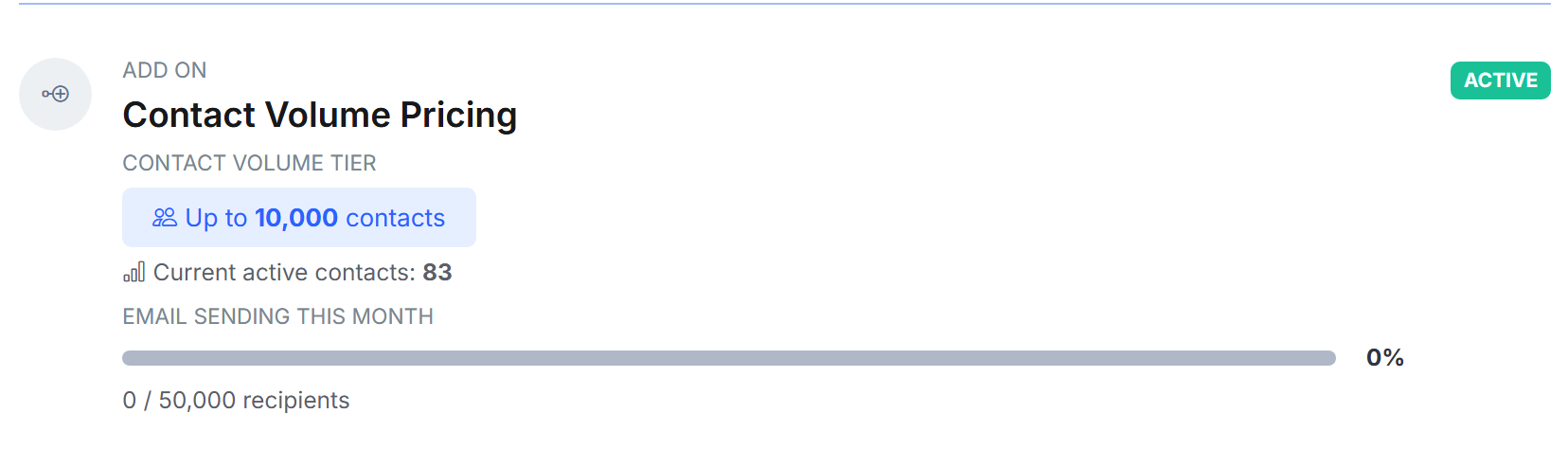
The current status of your subscription will also be provided in your subscription & billing section as well. Example below:
Scheduled Emails
For scheduled emails, the capacity check happens twice:
At schedule time — you'll see the pre-send warning on the Review & Send screen showing the projected impact.
At actual send time — the system re-checks your current usage and capacity when the email is dispatched. If your usage has changed between scheduling and sending, the tier upgrade decision is based on your actual usage at send time.
Frequently Asked Questions
Q: Will my email be blocked if I exceed my tier? No. Your email will always send. If the send would exceed your capacity, your tier is upgraded automatically and the email proceeds.
Q: What counts as an "active contact"? Any contact in your account that is not marked with an Inactive status.
Q: Does the buffer apply to both contacts and emails? Yes. The 100-contact buffer translates to 1,000 additional emails of headroom (100 contacts × 5 emails per contact).
Q: When does the monthly email counter reset? Your email send count resets on the 1st of each calendar month (UTC).