
You can change what the text on the buttons say as well as the different section titles on your campaign webpage as shown below in the legacy template builders.
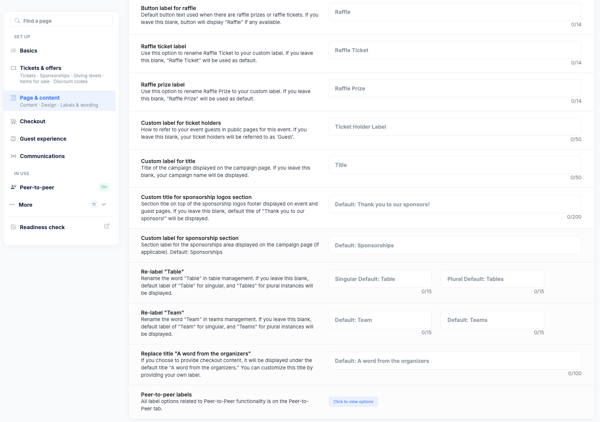
You can also change some of the language used within your event such as calling a ticket holder a Player instead of a guest if you are doing a golf tournament. You can also change "Raffle" to "Drawing" or something similar.


- Navigate to Edit Event>Page Design>Customize labels
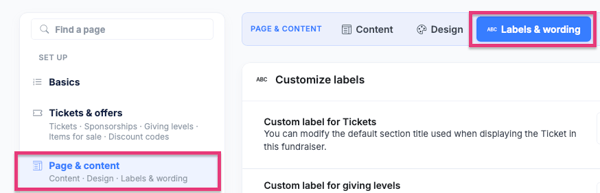
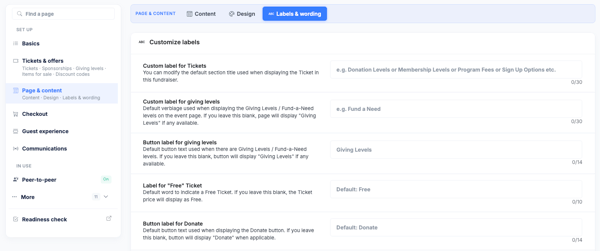
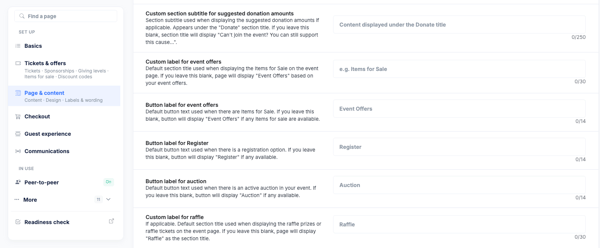
- Find the Title or Button Label you'd like to change and type in what you'd like it to say. **Please note that some Titles and Buttons have character limits.**
- Continue to scroll to see all the available titles and buttons available for customizing.
- Don't forget to save!
Need Additional Help?
We're here to assist you in any way we can. Don't hesitate to reach out to support@betterunite.com
Let's go do some good.