-1.png?width=240&height=100&name=Heading%20(2)-1.png)
Follow the steps below to export your guest list:
Option 1: From the Guest List Page
-
Go to your Event Dashboard.
-
In the left-hand menu, click Guest List.
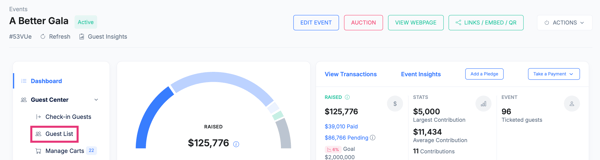
3. In the top-right corner, select Actions.
4. Click Export to File.
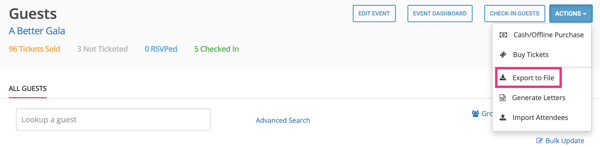
Your guest list will download as a file that you can save or print or adjust in Excel.
Option 2: From Reports
-
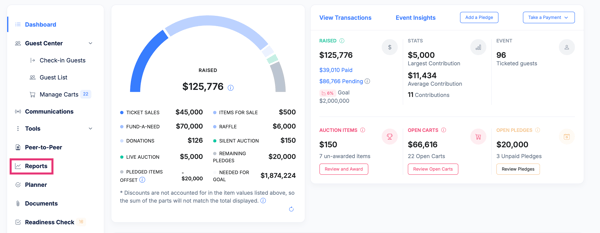
From your Event Dashboard, go to Tools.
-
Click Reports.
-
Under Guest Reports, select Guest List.

-
Use the export option to download the file.
Pro Tip
-
Download your guest list the day before and again the morning of your event to ensure you have the most up-to-date information.
-
Save the file to a laptop, tablet, or print a copy in case of internet connectivity issues onsite.
Having a backup guest list ensures a smooth check-in experience.
Need Additional Help?
We're here to assist you in any way we can. Don't hesitate to reach out to support@betterunite.com
Let's go do some good.