-1.png?width=240&height=100&name=Heading%20(2)-1.png)
Bulk activity actions allow you to create tasks or add notes for multiple contacts at the same time. This is useful when you need to follow up with a group of contacts, log shared context, or plan outreach efficiently without updating each contact individually.
This article explains the bulk activity actions available from the Contacts page and how to use them.
Access bulk activity actions
Bulk activity actions are available from the Contacts table.
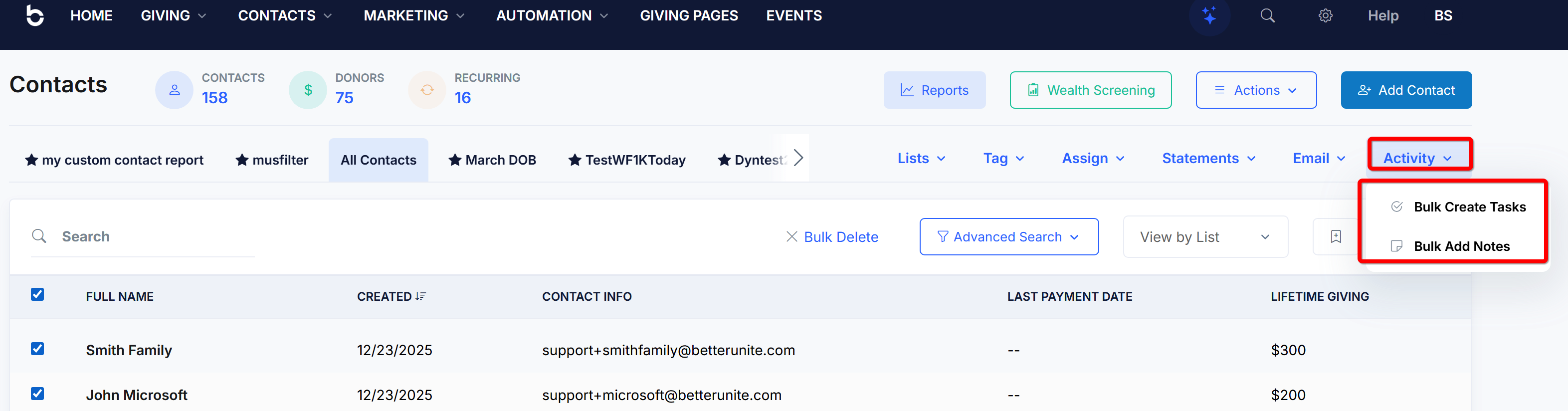
To access bulk activity options:
-
Go to Contacts.
-
Select one or more contacts using the checkboxes in the table.
-
Click Activity in the top action bar.
-
Choose one of the available bulk activity actions.
Available bulk activity actions
The following bulk actions are currently available:
-
Bulk Create Tasks
-
Bulk Add Notes
Each action applies the same activity to all selected contacts.
Bulk create tasks
Use Bulk Create Tasks to assign the same task to multiple contacts at once.
How it works
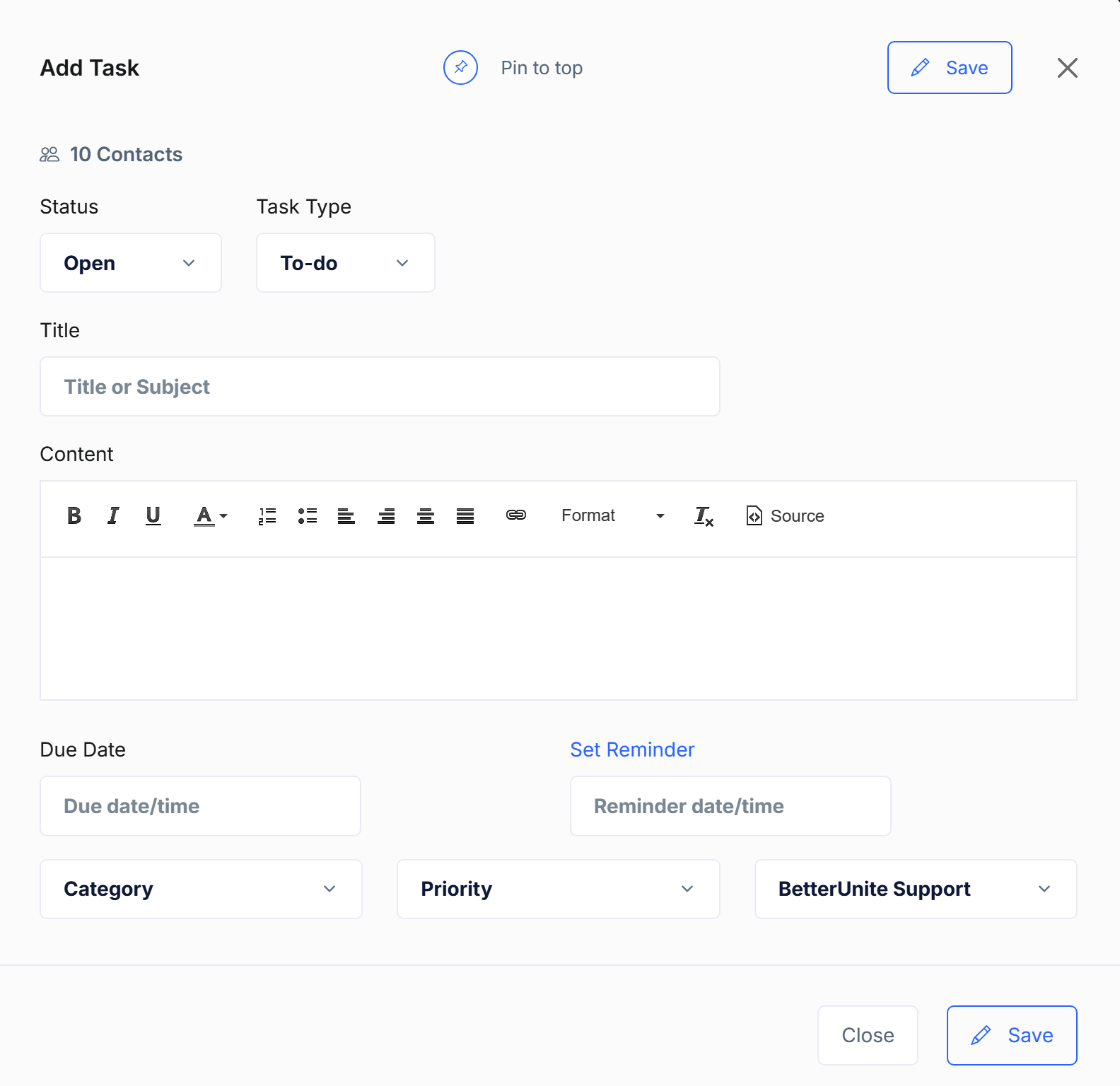
When you select Bulk Create Tasks, the Add Task panel opens. The task you create will be applied to every selected contact.
You can configure:
-
Status (for example, Open)
-
Task Type (for example, To-do)
-
Title
-
Content
-
Due date and time
-
Reminder date and time
-
Category
-
Priority
-
Assigned to
What happens after saving
-
A separate task is created for each selected contact
-
Tasks appear in each contact’s activity history
-
Tasks also appear in activity lists and reports, just like individually created tasks
Bulk-created tasks can be edited or completed individually after creation.
Bulk add notes
Use Bulk Add Notes to add the same note to multiple contacts at once.
How it works
When you select Bulk Add Notes:
-
A note editor opens
-
You enter the note content once
-
The note is saved to all selected contacts
Notes added in bulk:
-
Are saved as completed activities
-
Do not require a date, reminder, or assignment
-
Are useful for logging shared context, event attendance, or internal observations
Each contact receives its own copy of the note in their activity timeline.
Things to know about bulk activity actions
-
Bulk actions apply only to the contacts currently selected
-
Each activity is created as an individual record per contact
-
Bulk-created activities can be edited, completed, or deleted later on a per-contact basis
-
Bulk activity actions do not affect existing activities on the selected contacts
Related articles