-1.png?width=240&height=100&name=Heading%20(2)-1.png)
We’ve added new functionality that gives you more control and flexibility over the “From” address used when sending emails. You can now configure multiple sending email addresses under a single verified sending domain and choose between them when composing an email.
This is especially useful if different teams, purposes, or personas (e.g., Info, Admin, Support) need to send emails from the same domain.
1. Configuring Multiple Senders
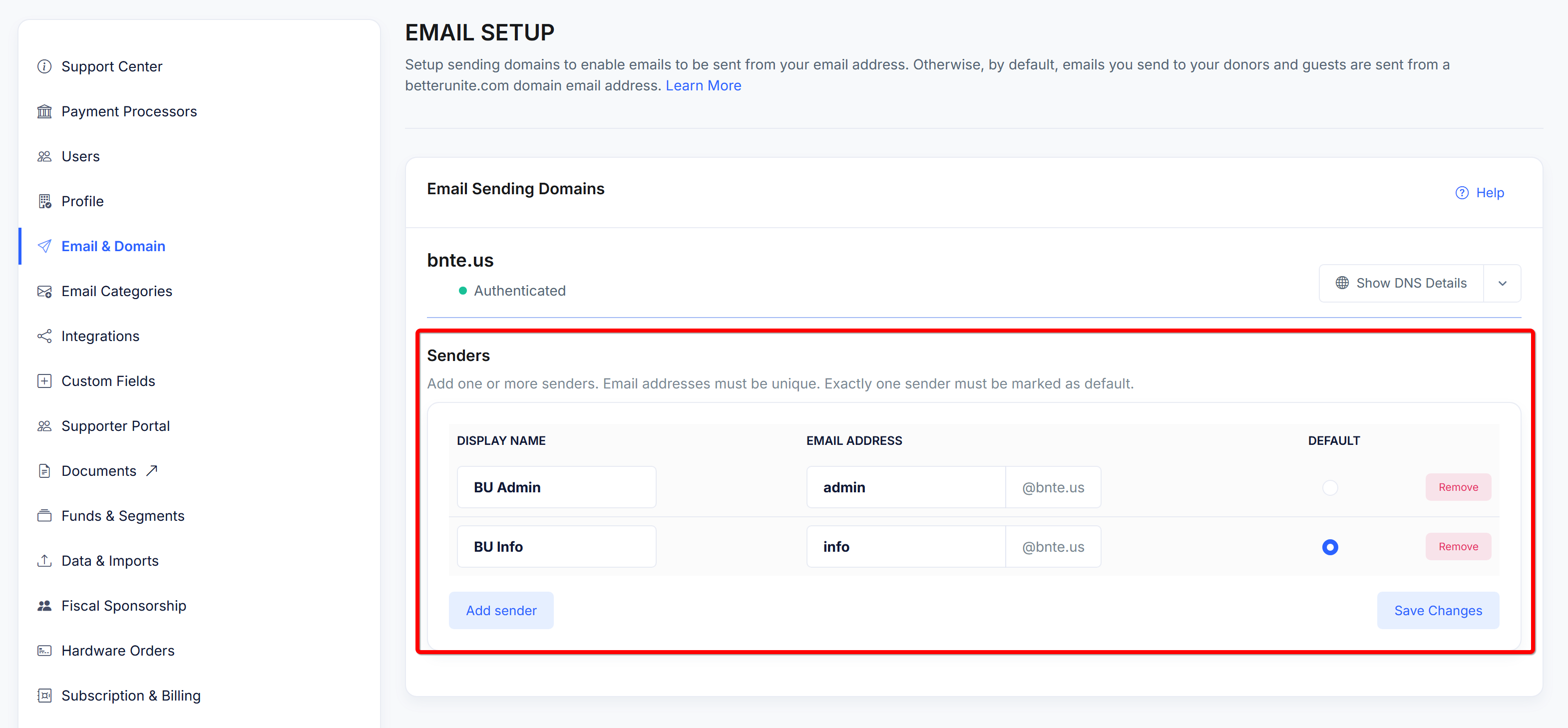
Once your sending domain is verified and authenticated, you can add multiple senders under that domain.
How it works
-
Navigate to Email & Domain → Email Sending Domains
-
Select your verified domain (e.g.
bnte.us) -
In the Senders section, you can:
-
Add one or more sender email addresses (e.g.
info@bnte.us,admin@bnte.us) -
Assign a Display Name for each sender
-
Mark exactly one sender as the default
-
Remove senders that are no longer needed
-
Important rules
-
Email addresses must be unique within the domain
-
One (and only one) sender must be set as the default
-
All senders automatically inherit the domain’s authentication (DKIM/SPF)
This keeps configuration simple while maintaining strong email deliverability.
2. Using Senders When Sending an Email
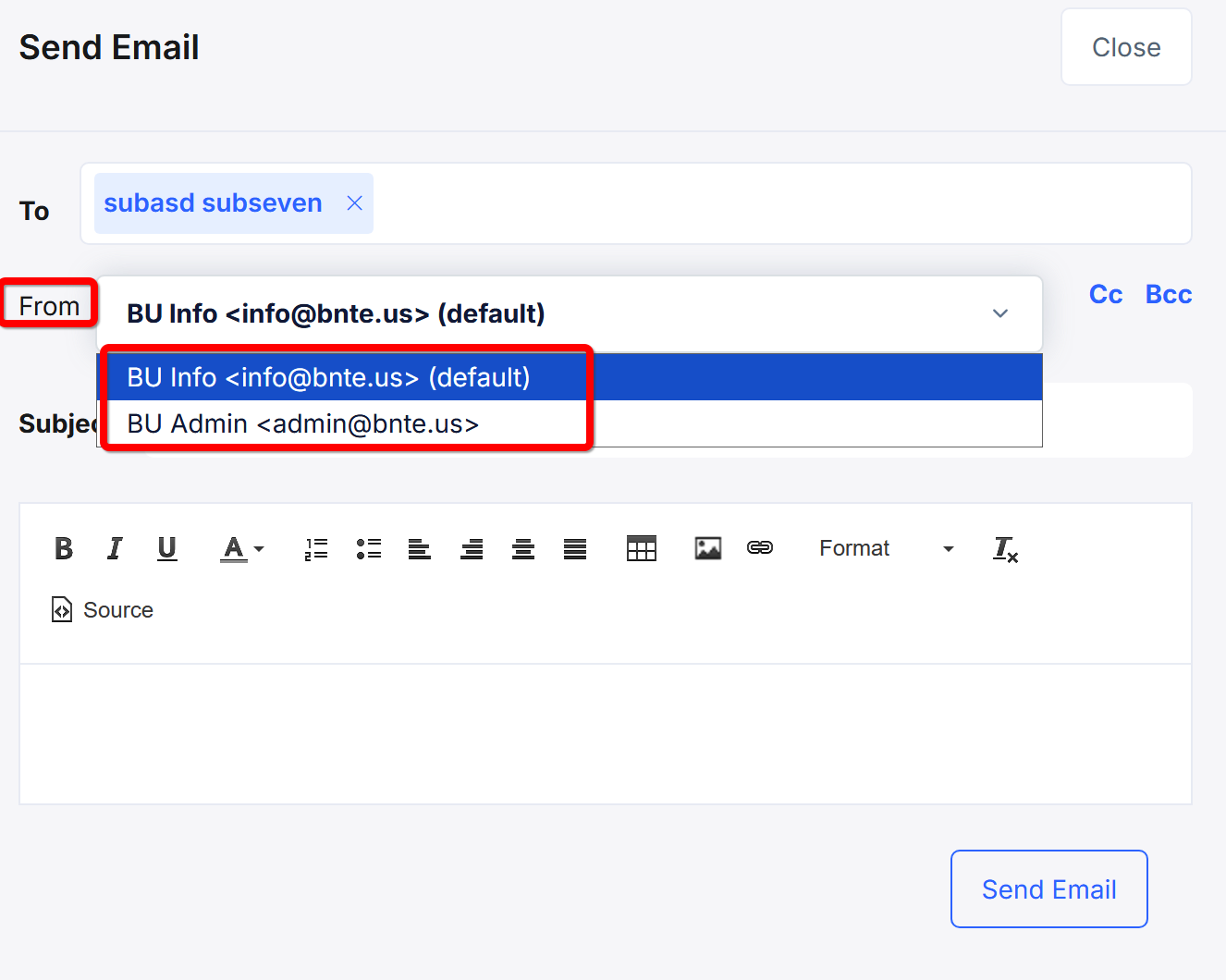
When composing an email, the system now exposes your configured senders directly in the From field.
What the sender sees
-
The default sender is automatically selected every time you start a new email
-
If multiple senders exist, a dropdown allows you to:
-
Switch to a different sender for that specific email
-
Clearly see which sender is marked as (default)
-
Example:
-
BU Info info@bnte.us (default) ← auto-selected
-
BU Admin admin@bnte.us
Changing the sender affects only that email, not the default setting.
3. Why This Is Useful
This feature unlocks several common use cases:
-
📢 Role-based communication
Send newsletters frominfo@yourdomain.comand administrative notices fromadmin@yourdomain.com. -
🧑🤝🧑 Team clarity for recipients
Recipients immediately know who the email is from, without relying on reply content. -
⚙️ Consistent defaults with flexibility
Most emails use the default sender, while edge cases can easily override it. -
🚀 No extra domain verification
All senders operate under the same verified domain, keeping setup fast and secure.