-1.png?width=240&height=100&name=Heading%20(2)-1.png)
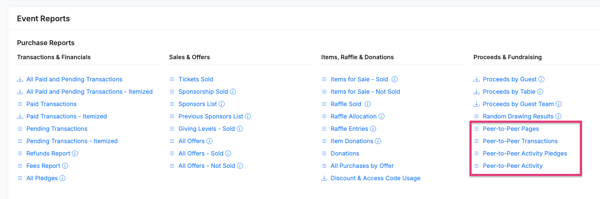
BetterUnite includes three dedicated peer-to-peer (P2P) reports that give campaign admins visibility into fundraiser activity, activity-based pledging, and transactions associated with P2P pages: the Activities Report, Transactions Report, and Summary Report. You can access all three from your Campaign Dashboard under Reports in the left navigation menu.
What P2P reports are available?
- Peer-to-Peer Activities Report — Shows activity data for fundraisers participating in activity-based fundraising (e.g., miles walked, laps completed). Includes activity totals by fundraiser.
- Peer-to-Peer Transactions Report — Shows all transactions associated with peer-to-peer fundraising pages, including donations received by individual fundraisers and teams.
- Peer-to-Peer Summary Report — A high-level overview of P2P campaign performance, including page counts, fundraiser counts, and total amounts raised.
How do I access P2P reports?
- Navigate to your Campaign Dashboard>Reports in the left navigation menu.
- Log in to your BetterUnite account and open the relevant campaign.
- Navigate to your Campaign Dashboard > Reports in the left navigation menu.
- Find and select the Peer-to-Peer Report you wish to download.
- Select More and export the report as an Excel or CSV file.
Need Additional Help?
We’re here to assist you in any way we can. Don’t hesitate to reach out to support@betterunite.com
Let’s go do some good.