-1.png?width=240&height=100&name=Heading%20(2)-1.png)
How do you view bids for an auction item?
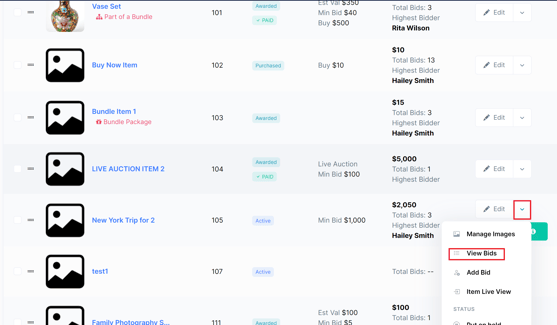
To view bids for an auction item, open the Manage Auction page, click the dropdown next to the item, and select View Bids. Follow the steps below for full details.
- Navigate to the Manage Auction page from your administrator dashboard.
- Click the dropdown next to the auction item you want to review.
- Select View Bids.
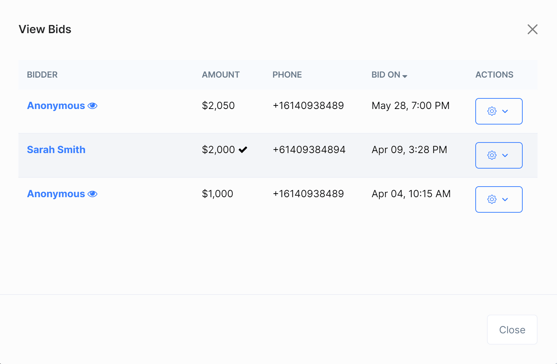
The View Bids panel will open, displaying a list of all bids placed on that item - including each bidder's name, bid amount, and the time the bid was submitted.
Need additional help?
Our support team is ready to help — reach out anytime at support@betterunite.com.
Let's go do some good.