-1.png?width=240&height=100&name=Heading%20(2)-1.png)
The Membership Overview now includes two dedicated tabs — Expiring Cards and Expiring Subscriptions — that surface members who need attention. Catching these early lets you reach out before a payment fails or a membership lapses, which is significantly easier than trying to re-engage someone after the fact.
Finding the Tabs
Navigate to Contacts > Membership Management. The tabs appear at the top of the Overview page, alongside the revenue and forecast dashboard.
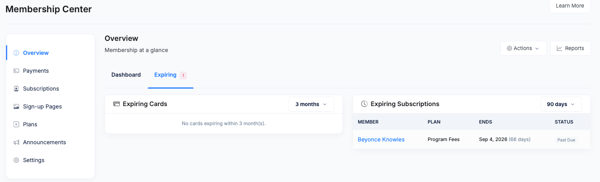
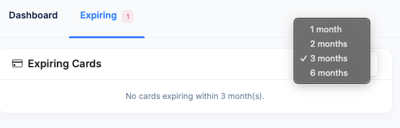
Expiring Cards
This tab shows subscribers whose payment card on file is set to expire within approximately 90 days.
For each member listed, you can see:
- Member name
- Plan name
- Card expiration date
- Current subscription status
Why It Matters
When a card expires, the next payment attempt will fail. Reaching out before expiration gives the member time to update their card without any payment disruption or gap in membership.
What to Do
Contact the member and ask them to update their payment information in their Supporter Portal (under Payments & Invoices > Update Card), or update it for them directly from their contact record on the admin side.
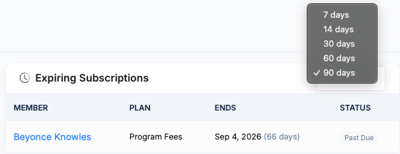
Expiring Subscriptions
This tab shows subscriptions that are nearing their end date — either fixed-cycle plans that are about to complete or subscriptions with a set end date that is approaching.
For each subscription listed, you can see:
- Member name
- Plan name
- Subscription end date
- Status
Why It Matters
When a fixed-cycle subscription completes, billing stops automatically and the member's status changes to Completed. If you want the member to continue, you have two options — reinstate the subscription (admin-side) or invite them to re-subscribe through a Sign Up Page.
Taking Action from Either Tab
Click a member's name to open their Member Detail page. From there you can:
- View their contact record
- Post a message to the member
- Update payment details
- Reinstate their subscription
- Review their benefit history
For Members on the Expiring Cards Tab
Ask the member to log into their Supporter Portal and update their card under Payments & Invoices, or update it directly from the admin side on their contact record.
For Members on the Expiring Subscriptions Tab
If the member wants to continue their membership, use Reinstate Subscription (see Reinstate Subscription) to restart their existing subscription on the original plan, or send them a new Sign Up Page link if they want to start fresh or choose a different plan.
Frequently Asked Questions
How far in advance does the Expiring Cards tab show cards?
The tab surfaces cards expiring within approximately 90 days. This window gives enough lead time to contact members before their next payment date.
Does BetterUnite automatically notify members when their card is about to expire?
Yes — if the Send Email about expiring cards notification is enabled in Membership Settings, members will receive an automated email. The Expiring Cards tab gives admins visibility to follow up personally in addition to the automated notification.
What happens to the member's access when a subscription completes?
When a fixed-cycle subscription reaches its final billing cycle and completes, the member's status changes to Completed and they are no longer recognized as an active member. Their record and payment history are preserved.
Can I export either list?
Not directly from the tab — but you can filter the Subscriptions list by status (Completed or specific date ranges) and export from there.
Need Additional Help?
We're here to assist you in any way we can. Don't hesitate to reach out to support@betterunite.com
Let's go do some good.