-1.png?width=240&height=100&name=Heading%20(2)-1.png)
Each contact record includes an Activity feed that shows all interactions and actions related to that contact in one place. This feed combines multiple activity types—such as emails, tasks, notes, phone calls, and donation activity—into a single, searchable timeline.
This article explains how to view, filter, create, and edit activities from an individual contact record.
Activity feed overview
The Activity feed appears on a contact’s record and displays a chronological list of all related activity.
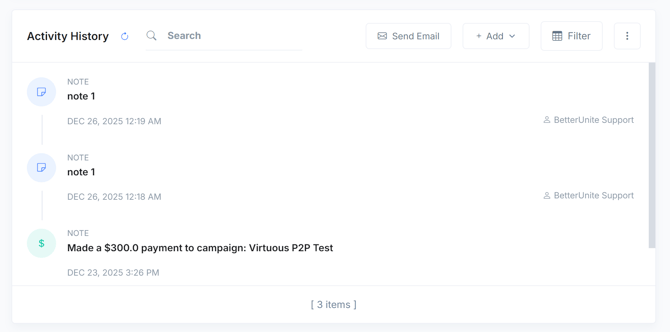
In the Activity feed:
-
Multiple activity types are combined into a single list
-
The most recent activity appears at the top
-
Each activity shows its type, title, timestamp, and owner
-
Icons visually distinguish different activity types
This feed provides a complete history of engagement with the contact.
Activity types shown in the feed
The Activity feed can include the following activity types:
-
Emails
-
Tasks
-
Notes
-
Phone calls
-
Text/SMS messages
-
Donation activity
You can view all activity types together or filter the feed to focus on specific types.
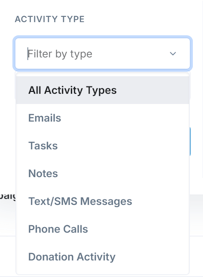
Filter and search activities
The Activity feed includes filtering and search tools to help you quickly find relevant information.
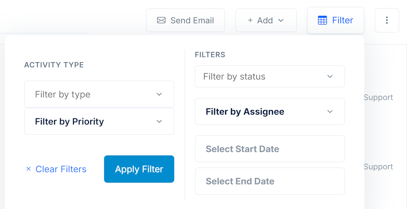
Available filters include:
-
Activity type (for example, Emails or Notes)
-
Status
-
Assignee
-
Priority
-
Date range
You can also use the search bar to find activities by title or content.
Filters affect only what is displayed and do not modify the underlying activities.
Create activities from a contact
You can create new activities directly from a contact record.
Available actions include:
-
Send Email
-
Add (to create tasks, notes, calls, or other activity types)
Send an email
Click Send Email to compose and send an email to the contact.
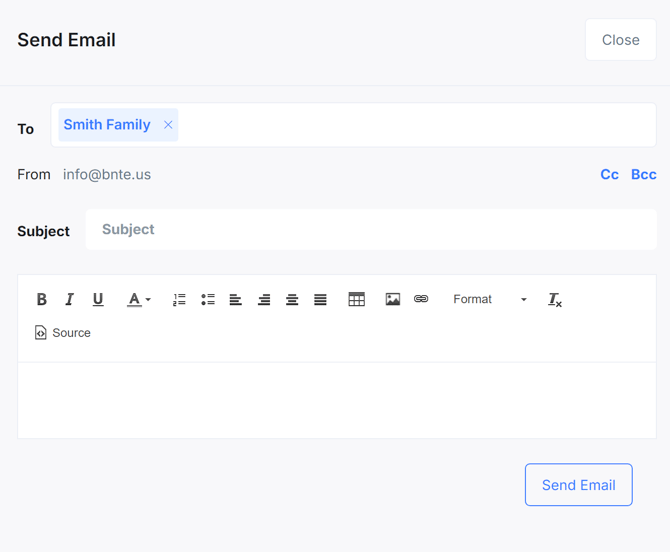
Sent emails are automatically logged in the Activity feed.
Add other activities
Use the Add menu to create additional activity types such as tasks, notes, or phone calls. Newly created activities appear immediately in the feed.
Edit activities from the feed
Activities in the feed can be edited directly.
To edit an activity:
-
Click the activity title or activity icon
-
The activity editor opens
-
Update fields such as content, status, or assignment
-
Changes save automatically or when you click Save
This applies to all editable activity types, including tasks, notes, calls, and emails.
Notes view
Notes can also be viewed in a dedicated Notes tab.
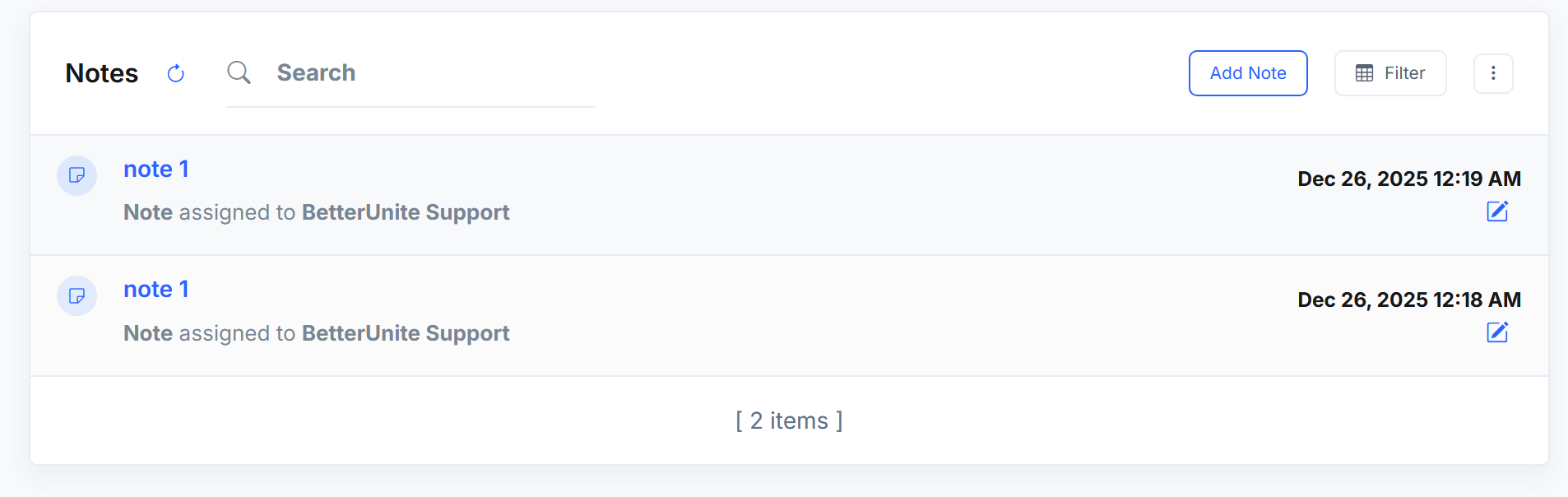
From this view:
-
All notes for the contact are listed
-
Notes can be searched and filtered
-
Click a note title or edit icon to update it
Notes created here also appear in the main Activity feed.
Activity management options
Additional activity options are available from the more actions (⋮) menu.
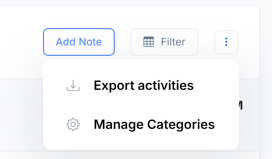
Options include:
-
Export activities
-
Manage categories
These tools help with reporting and activity organization.
How activity history works
-
Each activity is logged as an individual record
-
Completed activities remain visible for historical reference
-
System-generated activities, such as donation activity, appear alongside manual activities
-
All activity types follow the same editing and filtering behavior
This unified approach ensures a complete, consistent activity history for each contact.