-1.png?width=240&height=100&name=Heading%20(2)-1.png)
The Event Dashboard provides real-time visibility into revenue, supporter activity, and transaction status, including ticket sales, donations, auction payments, purchases, and other forms of revenue collected through the platform, making it easy to monitor performance and manage follow-up.
Filtering transaction data
To help you quickly find the information you need, the Event Dashboard allows you to filter transactions by Paid Transactions, Purchased Items (Paid & Pending), and Pledges.
Paid Transactions
Sorted by recent transaction date, you may search by item, status, and donor
- Donor Name
In the search bar -
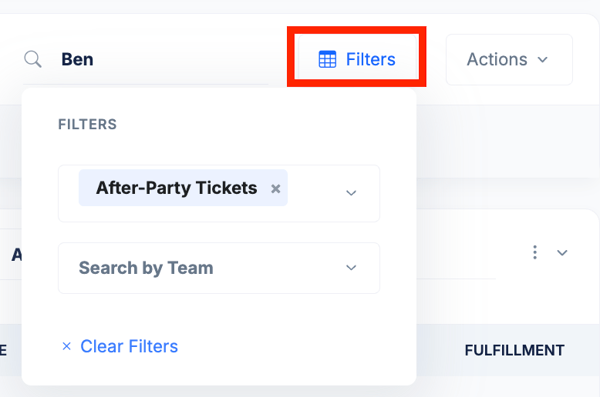
Filters
Select Filters to Search by Item, or Search by Team. View paid transactions associated with specific tickets and sponsorships, giving levels, items for sale, raffle tickets, or auction items.
Purchased Items
Search by item, status (paid/pending), and donor.
-
Items
Select a specific item to filter transactions associated with tickets and sponsorships, giving levels, items for sale, raffle tickets, or auction items.

-
Status
Filter by transaction state, such as:-
All Statuses: Paid & Pending
-
Show Pending Only: Includes all in-cart items
- Show Paid Only: Includes all items with completed transactions
-
These filters can be used together to narrow results and focus on specific segments of activity by donor.
-
Pro tip! You can select on any column header to sort the table by that column.

Searching by donor name
If you are looking for a specific supporter or transaction, you can search directly by donor name in either section on the event dashboard.
-
Pro tip! Select the donor name from your event dashboard to quickly access individual donor records within Contacts > Contacts & Donor Management
Need Additional Help?
We're here to assist you in any way we can. Don't hesitate to reach out to support@betterunite.com
Let's go do some good.