-1.png?width=240&height=100&name=Heading%20(2)-1.png)
Automatic Winner Notifications
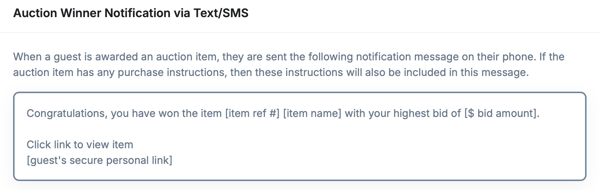
Auction winners receive:
-
A winning notification confirming they are the highest bidder with. See Close your Event for more help.
-
A checkout prompt directing them to their personal checkout page. This option can be turned off if you do not want guests to check themselves out. See Guest Experience for more details.
-
A detailed receipt after payment is completed
Checkout & Item Details
The winner’s guest cart checkout includes:
-
The name of each auction item won
-
The final winning bid amount
-
Any additional purchases or donations
-
Payment status (paid or unpaid)
After Payment
Once payment is submitted:
-
The Guest Cart Receipt email is sent to the winner. See Communications
-
Admins can view the completed payment and item status in the event dashboard
These automated messages ensure auction winners clearly understand what they’ve won and how to complete payment quickly and securely. See Guest Checkout options here.
Need Additional Help?
We're here to assist you in any way we can. Don't hesitate to reach out to support@betterunite.com
Let's go do some good.